




Features
DWR-C5600T
This Ac1200 dual band wifi5 router come with gigabit ports. It eliminates the hardware bottleneck. It ensures that your expensive high-speed internet plan is actually delivered to your devices, while speeding up communication between your own computers, NAS drives,at the same time.
This Ac1200 dual band wifi5 router work with TR-069 and SNMP, allowing remote management and diagnosis, reducing the manpower needed for on-site maintenance, and increasing CSI (Customer Satisfaction Index). This unique feature offers users a true "plug-and-play" experience, thereby saving operation and maintenance costs.
This Ac1200 dual band wifi5 router support OpenWRT, users can DIY suitable firmware according to their requirement based on DCOM Technology's support. They can enjoy popular usage such as OPENVPN, IPSEC, Wireguar, etc.
Parameter
|
Description |
Wi-Fi5 Dual-band Broadband Router |
|
Wireless Speed |
2.4GHz 300Mbps 5.8GHz 866Mbps |
|
Standard |
802.11a/b/g/n/ac |
|
Frequency |
2.4GHz & 5.8GHz |
|
Transmission Power (Max) |
2.4GHz:22dbm 5.8GHz:20dbm |
|
Interface |
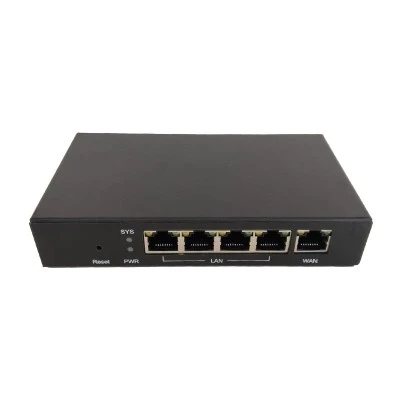
1*GE WAN+4*GE LAN |
|
Antenna |
4*5dbi fixed |
|
WAN Mode |
DHCP/Static/PPPOE/IPOE/L2TP (dual-access support) |
|
Easy MESH |
yes |
|
TR069 |
yes |
|
Advanced Functions |
802.1Q VLAN/DHCP options (43/60/121) Bandwidth Control /Access Control/Port Forwarding/DDNS/DMZ/Parent Control /Black List/MAC Filter/IP filter/URL Filter/QOS/Anti-DOS attack |
|
interface |
1*10/100/1000Mbps RJ-45 WAN ports 4*10/100/1000Mbps RJ-45 LAN ports |
|
Buttons |
Power ON/OFF WPS Reset WLAN |
|
LEDs |
Power, WAN, LAN, WLAN, WPS |
|
Antenna |
4*5dbi external antennas |
|
Ethernet Features |
IEEE802.3, IEEE802.3u, IEEE802.3ab IEEE802.3x full-duplex flow control and half-duplex Auto-Negotiation function, self-detecting transmission rate Auto MDI/MDIX to simplify network fragment and maintain network |
|
Wi-Fi |
Frequency: 2.4 GHz, 5GHz IEEE 802.11a/n/ac Wi-Fi @ 5GHz(2x2) IEEE 802.11b/g/n Wi-Fi @ 2.4GHz(2x2) WEP/WPA/WPA2 Security |
|
Networking |
PPPOE/Bridge/DHCP/Static IP WAN Mode IPv4/IPv6 Dual Stack NAT Port forwarding UPnP IGD with NAT traversal capability Static routing Dynamic DNS relay DHCP client/server IGMP and MLD snooping/proxy L2TP client & server GRE Tunnel |
|
QoS |
Flexible packet classification Up to eight queues Wi-Fi Multimedia (WMM) |
|
Security |
Stateful Packet Inspection (SPI) Denial of Service (DoS) prevention Multiple VPN (IPSec, PPTP, L2TP) pass through IP filtering |
|
Management |
Web based GUI Localization support Embedded web server Command Line Interface via serial port, telnet, or ssh Menu-driven CLI via serial port or telnet WAN Management Protocol (TR-069) SNMP v1/v2 Date/time update from SNTP Internet Time Server |
|
Physical Characteristics |
Net weight: 300g Dimensions (L*W*H): 200x140x33 mm |
|
Power |
Input: 100 ~ 240 V Output: 12 V / 1.0 A |
|
Environmental Characteristics |
Operating temperature: 0 ° C~ 40° C (32° F ~ 104° F) Humidity: 5% ~ 95% (non-condensing) |
|
Certification |
CE Rohs |
Hot Tags: ac1200 dual band wifi5 router, China ac1200 dual band wifi5 router manufacturers, 2 4ghz 5 8ghz Dual Band Wifi, AC1200 Dual Band Wifi5 Router, AC1200 Wifi Router, wifi 5 router


